Automate
people
workflows
Flightplan turns your process into a graph of tasks with prerequisites, then orchestrates every hand-off between the people who own them.
No chasing
Tasks unblock themselves
Auditable
See all past checklists
Publish case study
Customer marketing · 3 tasks · 3 people
Interview the customer
Write the draft
Final review
Prerequisites
A task opens the moment the ones it depends on close. Nobody has to notice.
Ownership
Assign people or groups. Whoever is in the group at the time can close it.
Record
Every answer, override and sign-off is captured on the run, not in a thread.
How it works
Three moves from a process in your head to a running checklist
Define your workflow
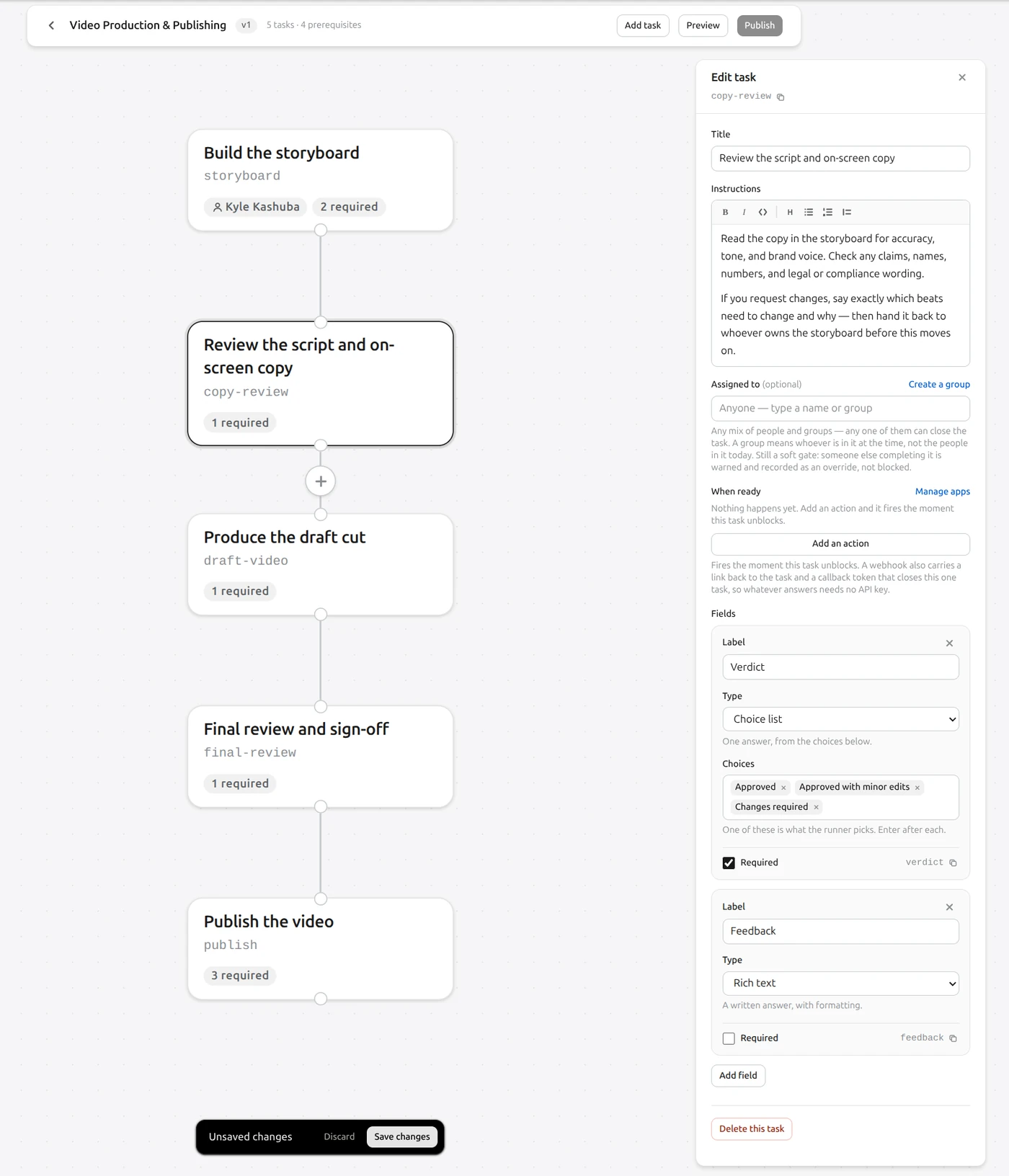
Lay tasks on the canvas and draw the prerequisites between them. Each one gets a slug and the fields it must collect. An owner is optional: leave it empty and anyone can pick the task up. So is the action that fires the moment it unblocks.
- Typed fields: choice lists, rich text, numbers, files
- Soft gates: overrides are recorded, not blocked
- Versioned, so a published plan never shifts under a run
Preview the process
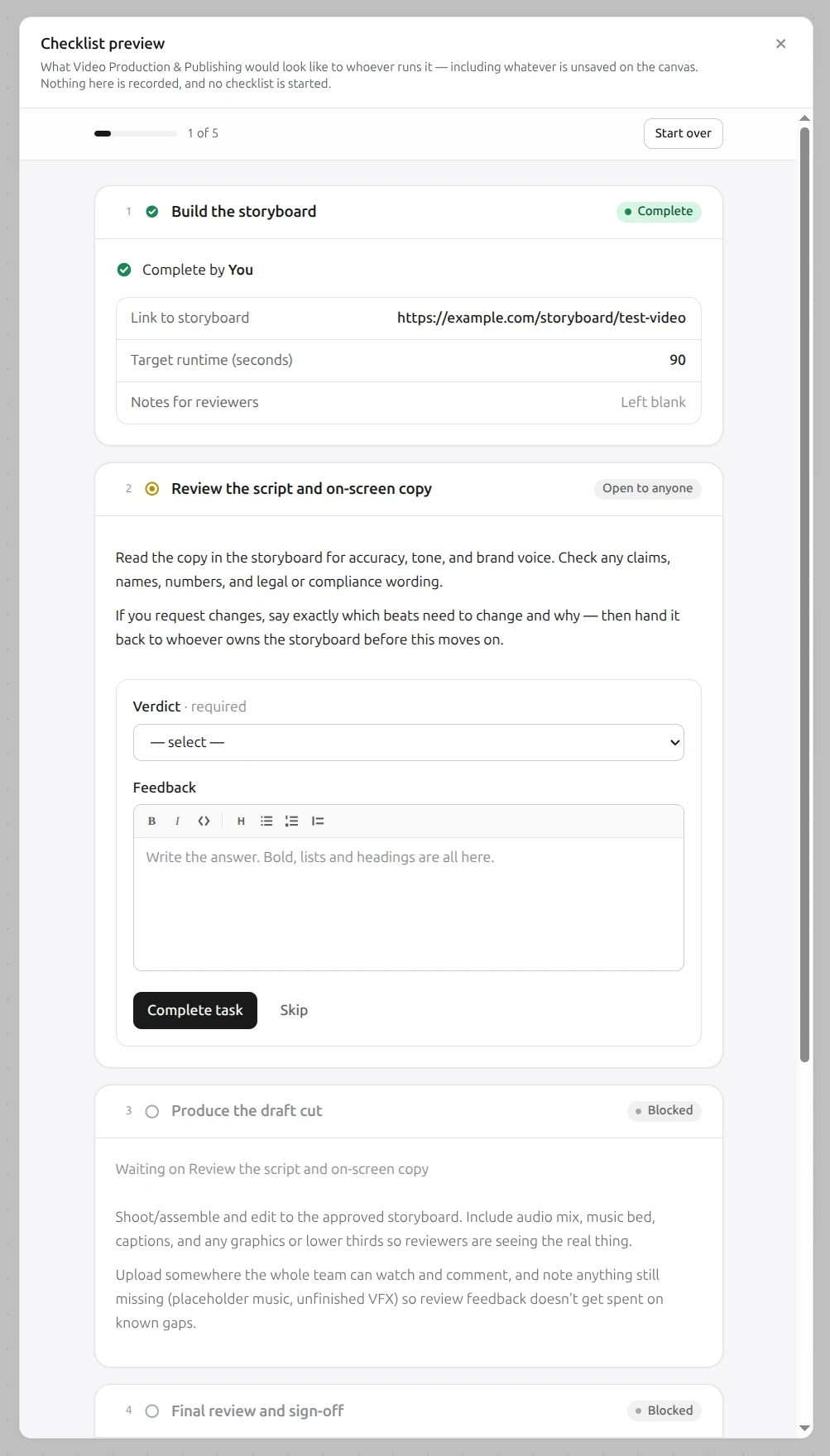
Walk the plan exactly as the people running it will, unsaved edits included. Complete, blocked and open-to-anyone all read the way they will in production, and nothing you do here is recorded.
Why it matters
You are prescribing work for other people. Reading it back once catches the vague instruction before forty runs inherit it.
Publish, then create your first checklist
Publishing makes the workflow runnable. Generate a checklist from it and every task lands with the person who owns it in My work, alongside everything else they owe, across every checklist in flight.
Start a workflow →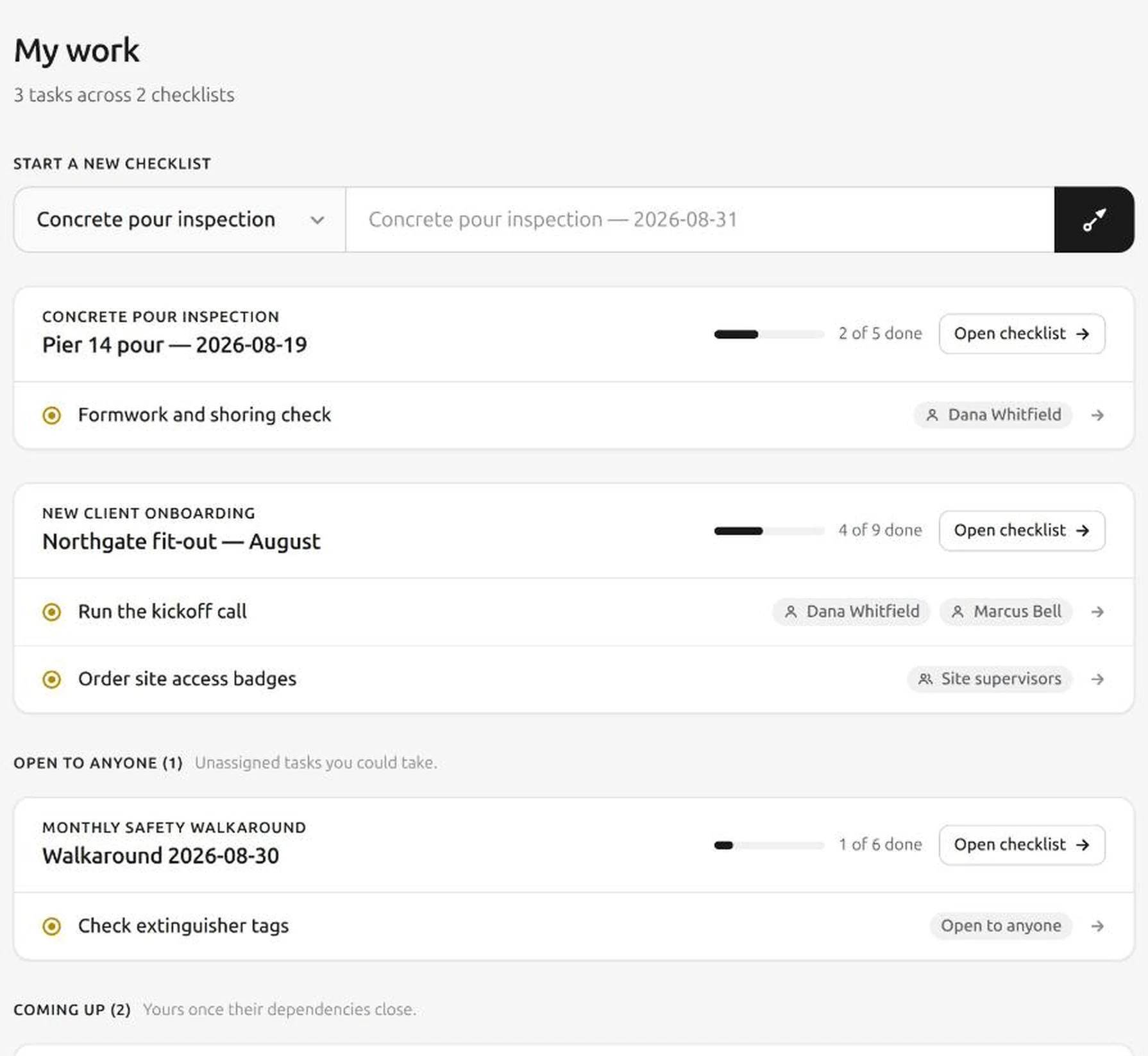
Assistants
Or run the whole thing with a prompt
Connect Flightplan to Claude, or anything that speaks MCP, and it reads and updates your workspace in plain language. It sees what you see and does what you can do, in the one workspace you pick when you approve the connection.
https://flightplan.run/mcp
- “What is on my plate?”
- →Every ready task assigned to you, across every checklist in flight.
- “Start the onboarding for Acme Corp.”
- →Generates the checklist from the published workflow and opens the first task.
- “Here is our closing procedure. Build a workflow from it.”
- →Reads the document, lays the tasks and the prerequisites out on the canvas, and leaves it a draft for you to check.
- “Write up last week’s safety walkaround.”
- →Pulls every answer, comment and file off the record, then writes the document.
Your name on it
A task an assistant closes is recorded as closed by you, because you asked for it.
Read-only, if you want
Grant reading without granting changes, on the screen where you approve the connection.
Automations untouched
Nothing over a connection can add, change or remove a webhook or a Slack post.
Write the process down once. Let it run itself after that.
Build your first workflow in an afternoon: one process, the people who own it, and the hand-offs between them.